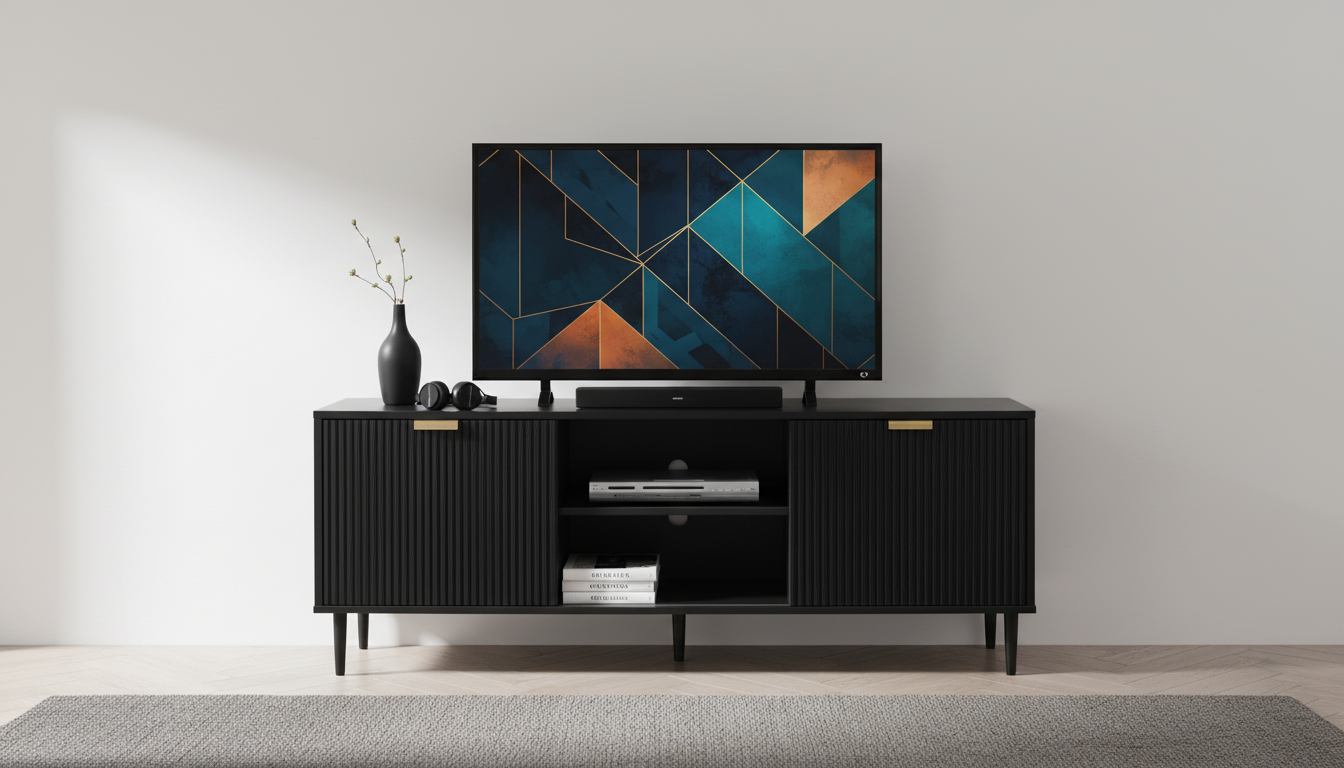
A 65-inch TV typically needs a stand that’s wider than the TV itself so the feet sit securely and the screen looks balanced. A good rule is to choose a TV stand that’s at least 55–60 inches wide, and many setups look best with a 65–72 inch wide stand for extra stability and visual breathing room on both sides.
Most 65-inch TVs measure roughly 57 inches wide (give or take by brand and bezel thickness). That measurement is the screen’s width across the diagonal-to-width conversion, not the distance between the TV’s legs. The leg spacing can vary a lot—some TVs have wide-set feet near the edges, while others use a narrow center stand.
Start by measuring the distance between the TV’s feet (or the footprint of the center pedestal). Your stand’s usable top surface should be wider than that footprint, with a little extra space on both sides to avoid a “teetering” look. If your TV has edge-mounted legs, you may need a wider stand than expected, or consider a universal tabletop TV mount to narrow the footprint.
Width isn’t the only spec that matters. Check the TV’s weight (with stand) and ensure the TV stand’s weight rating exceeds it comfortably. Also confirm the stand is deep enough for the feet to sit fully on the surface—many 65-inch TVs have feet that need around 10–14 inches of depth.
For most living rooms, a stand height in the 20–28 inch range works well, aiming to keep the middle of the screen near seated eye level. If the TV sits too high, neck strain becomes noticeable during longer viewing sessions.
For more sizing tips and common fit scenarios, visit the full guide here: https://breezyroom.shop/what-size-tv-stand-will-hold-a-inch-tv/.
Aim for at least a few inches wider than the TV on each side; many people prefer 6–10 inches of extra width total for a balanced look and easier placement of décor or a soundbar.











Leave a comment